


Want to learn more? Schedule a demo.
Turn Raw Records into Structured Case Intelligence
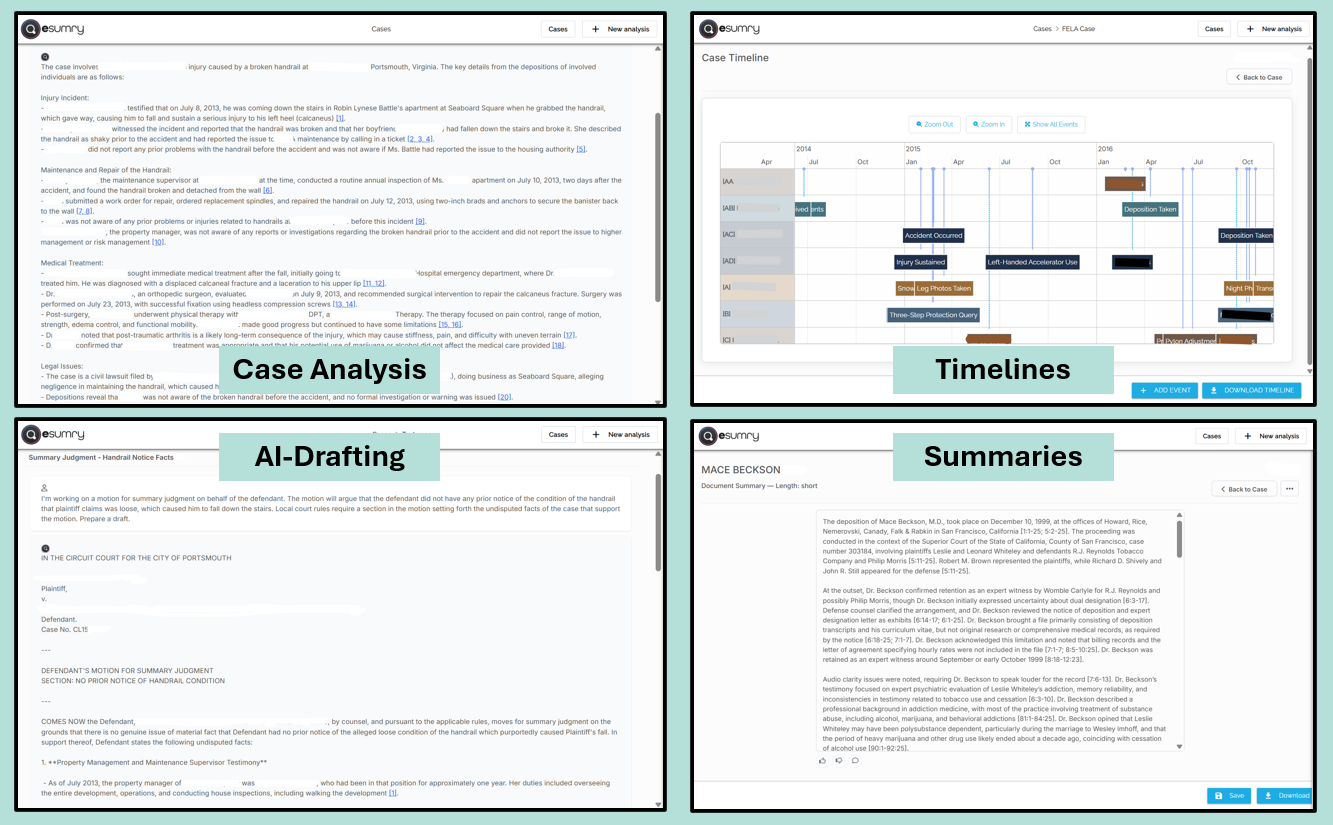
Lawyers upload the case file to esumry as it develops: pleadings, discovery, medicals, reports, transcripts and more. The platform helps organize the raw data into issues, facts, parties, and supporting documents. Instead of starting with a blank page, defense teams start with a coherent picture that is updated whenever new documents are added.
A Dedicated Case Workspace for Each Timekeeper
Every user has individual credentials and creates their own cases in esumry. They choose what to upload and how to structure their analysis, keeping work product and privilege boundaries the same as today with a lot less manual review, summarizing and note-taking.
Individual logins for every defense attorney and paralegal
Case-level file organization
No shared workspaces with clients or experts to protect privilege
Spot Key Issues and Themes Earlier
By structuring the record, esumry makes it easier to see what’s truly in dispute. Defense lawyers can quickly identify pressure points, weak spots, and key documents, and use that insight to shape early motion practice and settlement posture.
Surface disputed facts and recurring themes
See which documents support or undermine positions
Inform early strategy without re-reading everything
Produce Better Case Summaries and Reports
As professionals develop their case analysis using esumry, it can be exported to memos, outlines, or client reports. Those exports can be dropped into a document management system or as templates to become the starting point for partner review or client communication.
How Defense Lawyers Use Case File Analysis
Create a case and upload materials
The lawyer creates a new case in esumry and uploads pleadings, discovery, medicals, transcripts and other information.Generate and refine structured analysis
esumry helps turn that record into organized issues, facts, and document links. The lawyer queries, reviews and adjusts the analysis based on their judgment.Export work product
Summaries, outlines, or reports can be exported into Word® or PDF and stored in the firm’s normal systems for review, editing, filing and client sharing.
Case File Analysis – Frequently Asked Questions
-
No. esumry speeds up and structures the building blocks of early case assessment, but lawyers still review outputs and citations, and make all judgment calls. It’s a faster path to a solid first-pass analysis, not a substitute for strategy.
-
They can upload everything: pleadings, discovery, medical records, transcripts, even exhibits. esumry then helps structure and organize the data from them into a comprehensive view of the case, all linked to the source materials.
-
Currently, each user has their own cases in esumry and uses the platform as an AI-assistant. Team collaboration happens through exported memos and summaries either saved to the preferred DMS or shared via preferred communication channels.
-
We can set up your account so that licensed users are aligned to your preferred reporting protocols and guidelines when using esumry.
-
Often it lets mid-level or junior lawyers handle more of the groundwork in esumry, with partners reviewing and refining the results instead of building everything from scratch.